NC Editor Panel & Advanced Editing
The NC Editor is the main workspace for reviewing and modifying program content in Shopfloor Assistant. It displays the loaded program line by line and works together with the 3D Viewer, allowing users to inspect points, review paths, and understand the relationship between program lines and the visible result in the scene. This synchronized behavior helps users work more confidently when selecting, editing, and verifying program changes.
The NC Editor supports both basic and advanced editing workflows. Users can select individual points or multiple lines, apply line-by-line changes, use preview-based transformation workflows such as Pivot Teach and Axis Teach, comment or uncomment program lines, and work with structured elements such as regshapes and pattern-based program structures. Together with the Manipulator and the 3D Viewer, the editor provides a controlled and visual way to update program content before saving or validating the result.
What users can do in the NC Editor
- review loaded program content line by line
- select points or ranges for editing
- apply direct line-by-line changes
- use Pivot Teach and Axis Teach for point-based updates
- comment or uncomment selected program lines
- edit structured elements such as regshapes
- use pattern recognition for grouped program structures
- preview the effect of changes in the 3D Viewer before confirming them
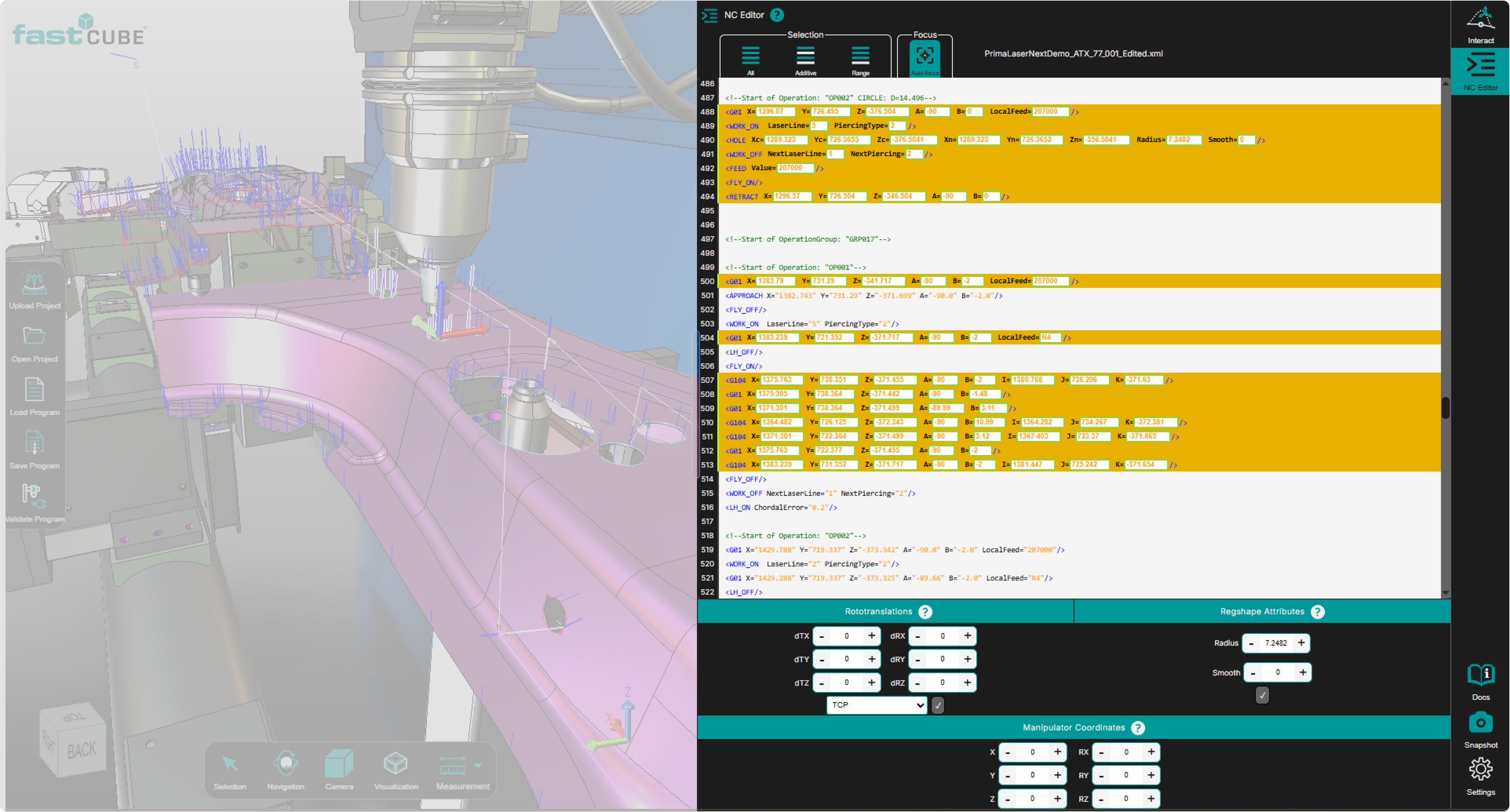
Example of the NC Editor panel for the selected controller.
Operator insights
- The NC Editor is the starting point for most editing workflows in Shopfloor Assistant.
- Selections made in the editor are reflected in the 3D Viewer, helping users understand the spatial result of the selected content.
- Use the editor together with the 3D Viewer and the Manipulator for safer and more controlled program modification.
In this section
- Single-Point Selection
- Multi-Line Selection
- Line-by-Line Editing
- Comment / Uncomment
- Insert Commands
- Auto-Focus
- Pattern Recognition
- Regshape Attributes Panel
- Frame Definitions
- Search in the NC Editor
- Previewing Program Differences