Assign objects to layer

This command is only present when the Layer manager is executed on an object.
The Assign objects to layer command defines to what layers the selected objects will be assigned.
A list of all defined layers appears.
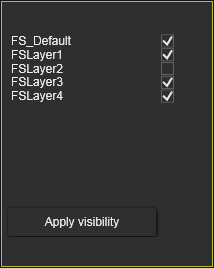
The layer(s) to where the objects will be assigned can be checked out. It is possible to assign the objects to multiple layers. To confirm the Assign button has to be pressed.
Objects do not necessarily need to be assigned to layers. By default they are not. Geometry that is imported is also initially not assigned to any layer.
Was this page helpful?