FASTSUITE Edition 2
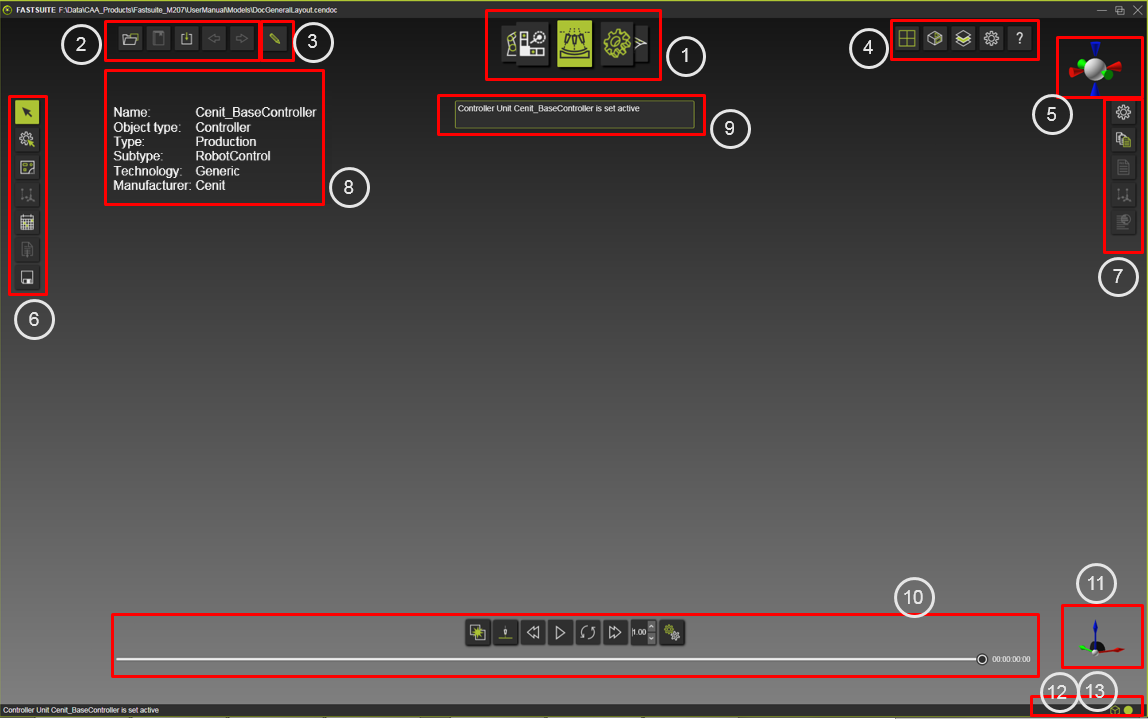
FASTSUITE Edition 2 has a main window, one single user interface, that is called the 3D View. This 3D View not only displays the 3-dimensional model, it integrates all user interactions and all other command toolbars. The 3D View is the tool that visualizes, interacts with, analyzes and simulates the models and layouts that the user is working on.
User interaction with the 3D View is supported with the common mouse and keyboard workstation devices.
The 3D View has several interactive areas, where certain commands or actions are started. The 3D View itself is the environment where all the direct interactions with the 3D objects are taking place.
Interactive zones in the 3D View
The location of the numbered items is indicated in the above picture.
- Operation mode
- View toolbar
- View Compass
- Headup display
- Help display
- Active frame
- Display filter
- Console
Other 3D View interactions

More information
Was this page helpful?